I recently added a “smart” receiver for my driveway alarm transmitter from Dakota Alert. The receiver connects to Wi-Fi via the Tuya app. The individual alarms (can handle up to 16 transmitters) are configured in Tuya as sub-devices under the receiver. I can use the individual alarms as triggers for actions in the Tuya app. Unfortunately, the sub-devices do not show as devices in Apilio, so cannot be used as for conditions to trigger logicblocks.
Q1: Am I missing something? Is there a way to see these sub-devices in Apilio and use them?
Q2: Assuming Q1 answer is No, any chance you can add this capability in Apilio?
Q3: Assuming Q2 answer is No, do you know a way to create and control virtual devices in Tuya app? My current work-around to the problem is to dedicate a smart outlet as a flag, to be set On / Off by Tuya. The outlet is visible to Apilio, and I am using it in a condition to trigger logicblocks. If I can figure out how to add a virtual device to Tuya, I can eliminate the dedicated outlet.
Thanks.
Hi @clancyduncan ,
Q1: I don’t think you are missing anything and it seems not possible at the moment
Q2: I need to investigate if and how these virtual devices are present on the interface and then - if possible - make a change to Apilio. Can you send me the device name via the support chat?
Q3: My hope would have been that Tuya can send HTTP requests as part to their automation, but that’s not supported.
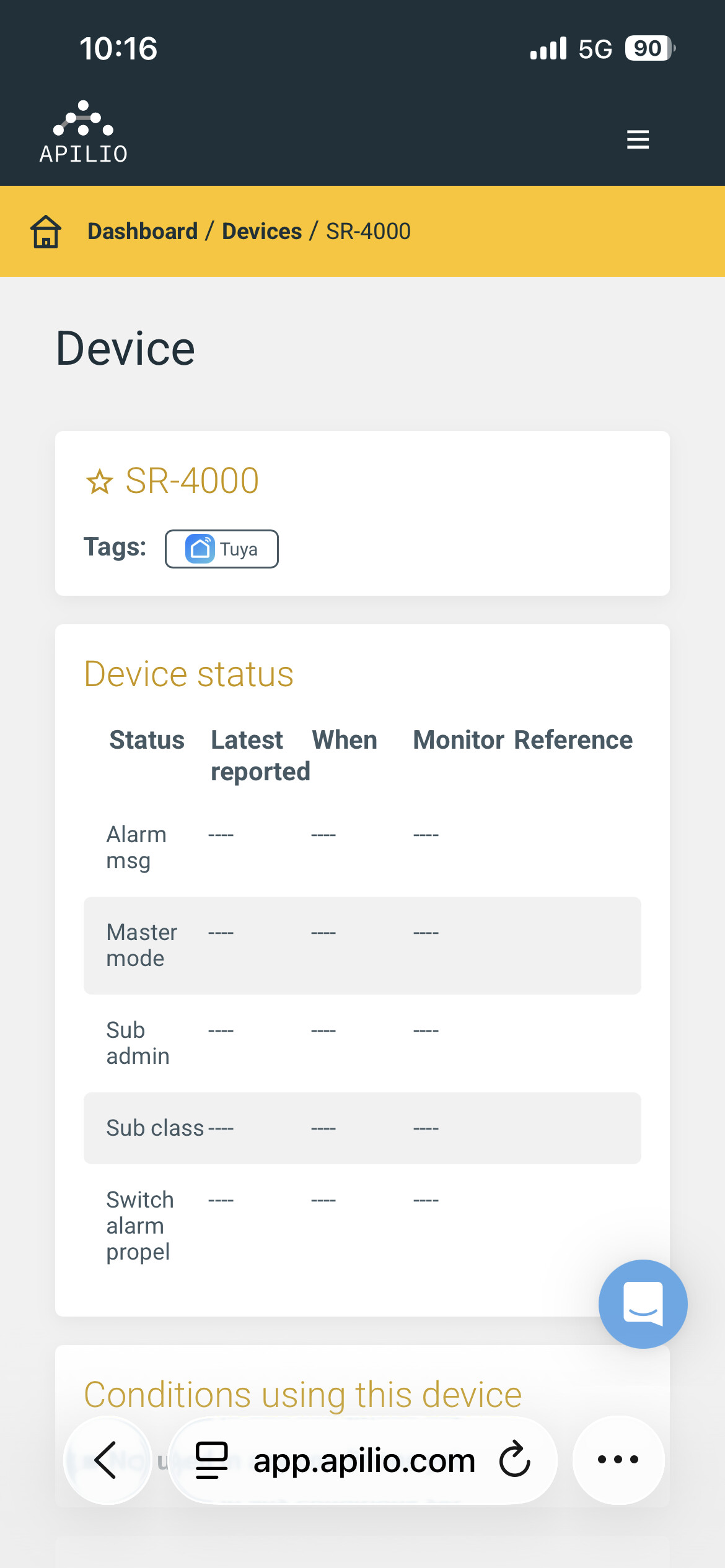
Not sure how to access support chat? Here is screenshot of device as seen from devices section of Apilio:
Here are screenshots of device from SmartLife app:
When you tap the blue circle, you can chat with the bot first and then tell it you need to send some information to the support team. But it’s fine like this as well. I have all the information that’s needed.
It is a bit tricky because the virtual sub-devices are not represented in the same way.
But the information is probably there, just hidden in a special field.
I made a change so that field should become available in the condition. You need to experiment a bit, as it should show up as a text field, an you will need to to a string match.
Unfortunately I lack a test device with raw data. So please try it out and let me know if it works. Would be great if you can share a screenshot!