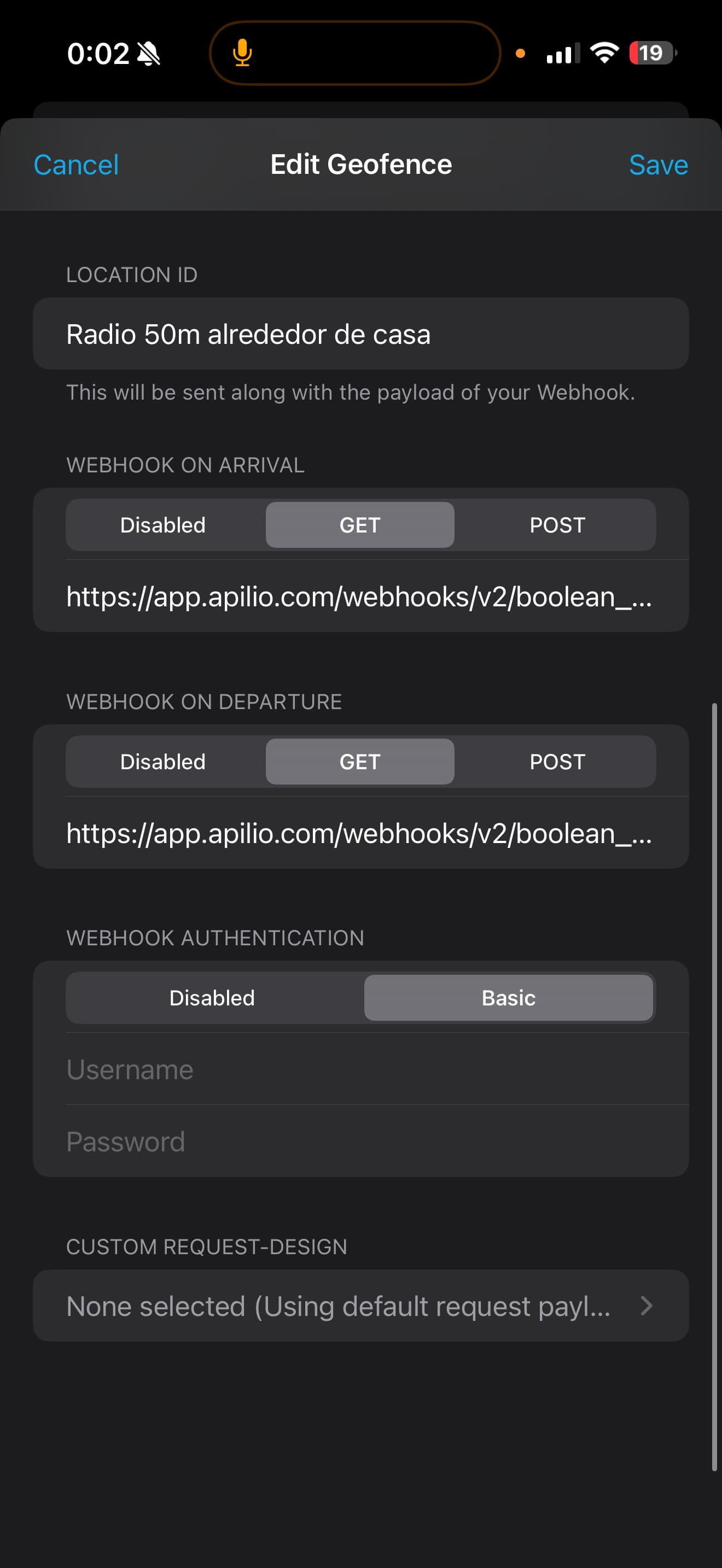
Apparently, sometime in the past, the ability to update a boolean variable via webhooks has been altered or removed, and I haven’t noticed until today. Bottom line: I need to know how to replicate that.
Long Story: My home is remote. I have struggled with determining home vs away status for myself and spouse, to manage the usual actions. My solution is a “belt & suspenders” approach. I have a Tuya outlet switch, used as a relay, for each of us. I have Tuya switching the outlet on and off via the Smartife geofence capability, which is maybe 80% effective. My redundancy has been to control a boolean variable via webhooks from the Locative geofence service. The boolean variable and associated conditions and logicblocks also switch the Tuya outlet on and off. So I have 2 independent geofence services controlling the same Tuya outlet (relay). This approach is still not 100% effective, but much better. The conditions of those relays are then used in the usual manner to control lights, heaters, send notifications, etc.
Specifically, I need to know how to control the boolean variables via webhooks from the Locative geofence service.
Thank you for your consideration.
(BTW, I also have a 3rd Tuya outlet used as a relay that is switched on and off by Smartlife based on the outside temperature, so I know when it is cold enough or warm enough for certain actions.)